

How to Activate Call Forwarding when Busy and Unavailable

You’re on an important call, and you see another one coming in. Do you abruptly end the first call, ignore the second and hope they leave a voicemail, or just stare at your mobile phone in a panic? We’ve all been there.
That frustrating moment of juggling phone calls, or the sinking feeling of seeing a “missed call” from a client or loved one, doesn’t have to be your reality. There’s a simple, powerful feature built right into your phone designed to solve this exact problem.
In this guide, I’m going to show you the quick and easy steps on how to activate call forwarding when you’re busy on another line or when your phone is unavailable.. By the end, you’ll have a system that ensures you never miss a critical call again.
| Forwarding Type | To Activate | To Deactivate | To Check Status |
|---|---|---|---|
| All Calls (Unconditional) | *21*[10-digit number]# | ##21# | *#21# |
| When Busy | **67*[10-digit number]# | ##67# | *#67# |
| When Unanswered (No Reply) | **61*[10-digit number]# | ##61# | *#61# |
| When Unreachable (Phone Off/No Signal) | **62*[10-digit number]# | ##62# | *#62# |
| Deactivate All Forwarding | N/A | ##002# | *#002# |
Note: Some carriers, like Verizon, may use older codes such as *72 and *73. If the standard codes above result in an error, try the older codes or follow the step-by-step guides for your specific mobile phone model in the sections below.
Activating conditional call forwarding ensures you never miss an important phone call, even when you’re on another line or your phone is off. The process is different depending on whether you use an iPhone or an Android device.
iPhones include basic call forwarding, but forwarding based on specific conditions requires manual dial codes. This method works regardless of carrier limitations.
Steps to Activate Call Forwarding on iPhone:
Note: If you don’t see the “Call Forwarding” option in your iPhone’s Settings > Phone menu, your carrier may require you to use these dial codes directly for setting up call management.
Most Android devices allow you to manage conditional forwarding directly through the mobile phone settings menu.
Steps to Activate Call Forwarding on Android:
Deactivating Conditional Call Forwarding
Turning off call forwarding is just as simple. Each platform offers its own method.
To deactivate on iPhone:
You must use the corresponding deactivation codes. Dial the code and press the call button.
To deactivate on Android:
Follow the same steps as activating it, but choose the “Turn Off” or “Disable” option instead.
Important Information to Know
Activating call forwarding is the first step. Using it effectively is what maintains professionalism and prevents lost opportunities. Follow these best practices to get the most out of the feature.
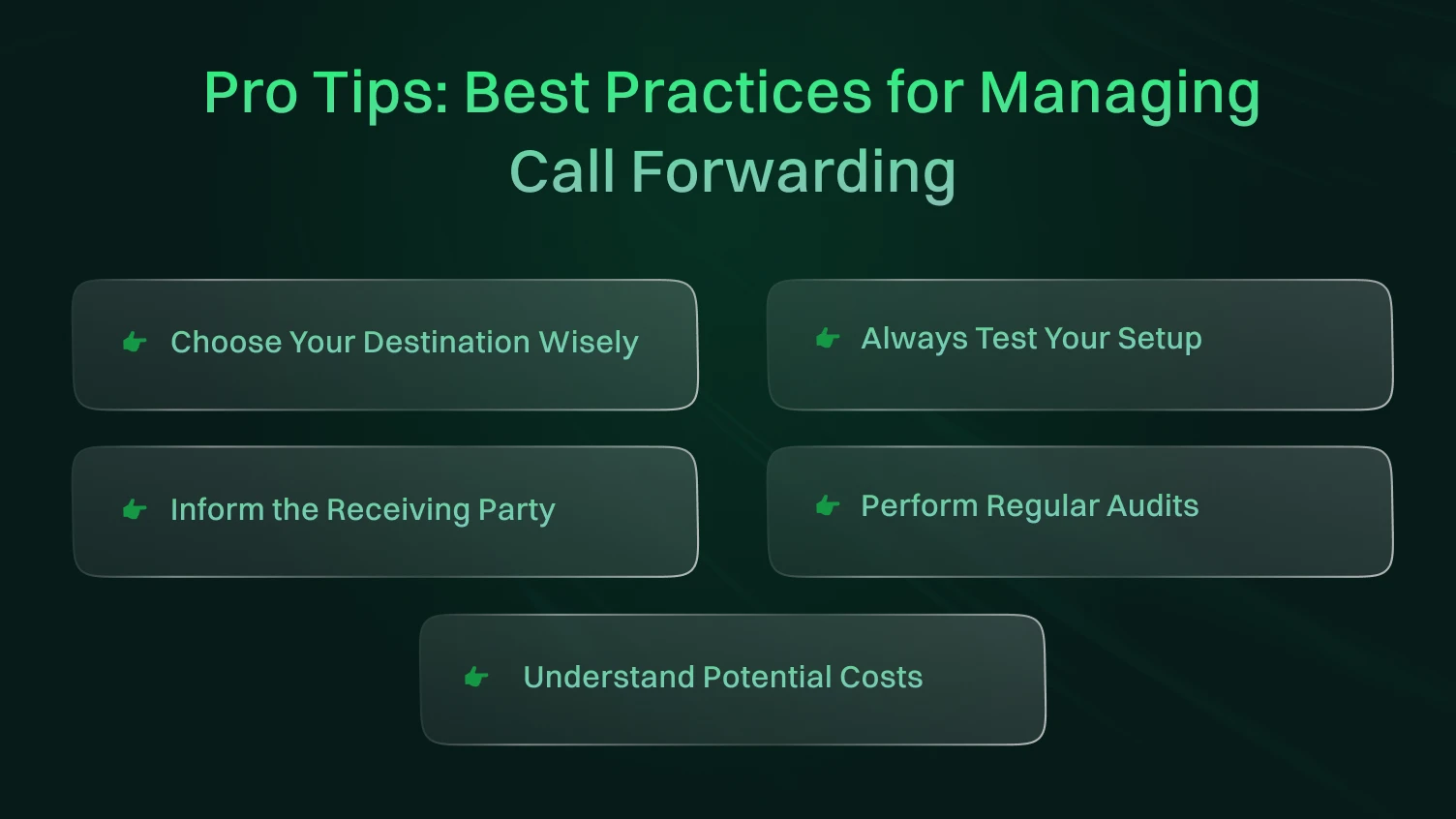
The number you forward calls to matters. Forwarding an important business call to a personal cell phone with a casual voicemail greeting appears unprofessional. Always direct calls to a line that is appropriate for the caller, such as a dedicated office number, a professional receptionist, or a voicemail service with a business-oriented message.
Do not assume your forwarding rules are working correctly. After you activate a setting, test it immediately. Use a different phone to call your number under the specific condition (e.g., call while your line is busy, or turn your phone off and call it). This simple test confirms that calls are being routed correctly before a real client or contact tries to reach you.
If you are forwarding calls to a colleague, assistant, or answering service, let them know. An unprepared person answering a call can lead to confusion and a poor customer experience. Give them context on the types of calls to expect so they can answer professionally and take accurate messages on your behalf.
It is easy to set a forwarding rule and forget about it. Get into the habit of reviewing your settings every few months. Use the status check codes (*#67# for busy, *#62# for unreachable) to see what rules are active. This prevents calls from being sent to an outdated number long after you no longer need the setting.
While forwarding calls to a domestic number is typically free, forwarding calls to an international number incurs a charge. Your carrier will bill you for the forwarded call at standard international rates. Before forwarding to any number outside your country, check your carrier’s pricing policy to avoid an unexpectedly large phone bill.
Call forwarding is a powerful feature, but like any telecom function, it may not always work perfectly. When forwarding fails or behaves unexpectedly, it can affect communication and lead to missed calls. This section outlines the most common issues, their causes, and step-by-step solutions to fix them.
Let’s walk through each problem with examples and clear actions.
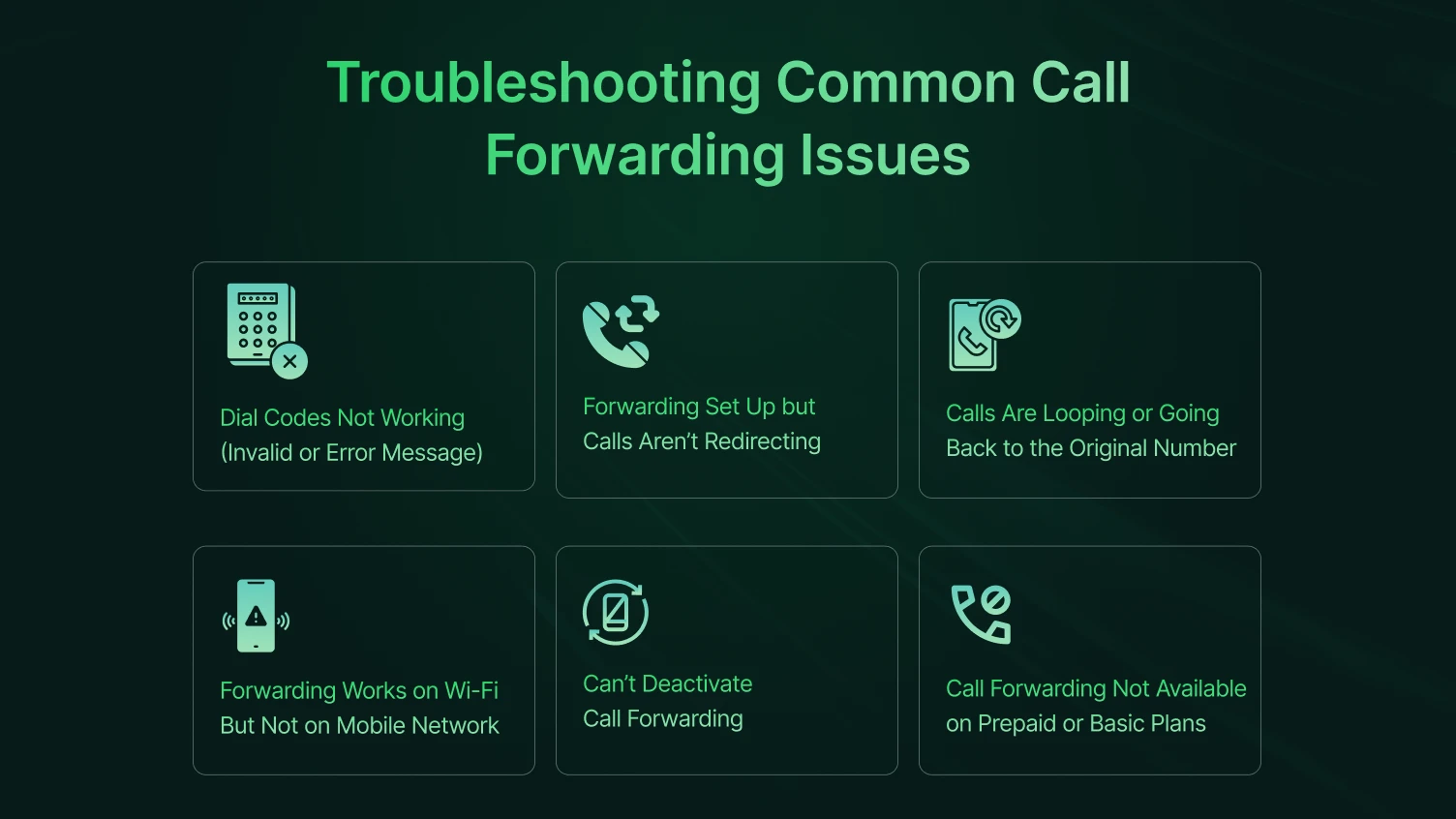
When you enter a call forwarding code (like *67*number#), you receive an error message, or the call doesn’t go through.
✅ Possible Causes:
Solution:
You’ve activated forwarding successfully, but incoming calls still ring on your phone or go to voicemail.
✅ Possible Causes:
Solution:
Issue: When someone calls, the call loops back between multiple numbers or fails to connect.
✅ Possible Causes:
Solution:
Call forwarding works when the phone is on Wi-Fi calling, but fails when using mobile data or cellular networks.
✅ Possible Causes:
Solution:
You’ve tried deactivating forwarding, but your calls are still being redirected.
✅ Possible Causes:
Solution:
Your phone doesn’t show call forwarding options, or the codes always fail.
✅ Possible Causes:
Solution:
Call forwarding is a simple but powerful tool for improving the likelihood that you won’t miss an important call. Call forwarding ensures your phone is reachable regardless of the reason you may be occupied or unreachable. In some cases, you’ve traveled out of range or activated an airplane or “do not disturb” mode.
Overall, understanding how to activate, manage, and troubleshoot conditional call forwarding on both iPhones and Androids will help you maintain consistent and effective communication and project professionalism. Just remember to test your setup, change your forwarding numbers, and confirm with your carrier to prevent service interruptions and unexpected charges.
These best practices will help you maintain commitment to your customers, whether you are using a personal line or a line for your business.
To activate call forwarding when not reachable, dial ##62[phone number]#* and press the call button. This will forward calls to the specified number only when your phone is unreachable.
To activate call forwarding when busy, dial ##67[phone number]#* and press the call button. Calls will be forwarded only when you’re on another call.
*#61# checks the number calls are forwarded to when unanswered, while *#62# shows the number calls forward to when your phone is unreachable.
The *#21# code lets you check the status of all your call forwarding settings at once.
You can change the number of rings before forwarding by dialing 61phone number11*[seconds]#** and pressing call. The seconds can be 5, 10, 15, 20, 25, or 30.
Yes, you can forward calls to an international number, but it depends on your carrier and may incur international call charges.
